
mo1lusca의 블로그
[Unifox] - Node.js 3,4차시 본문
라우팅, Express.js 프레임워크에 대해 알아보겠다.
Node.js만으로 웹서버 구축 및 라우팅 해보기
const http = require("http");
const url = require("url");
const port = 3000;

http.createServer((req,res) => {
  const path = url.parse(req.url, true).pathname;
  res.setHeader("Content-Type", "text/html");
  if(path in urlMap){
    urlMap[path](req, res);
  } else {
    notFound(req,res);
  }
}).listen(port, ()=>console.log("라우터 만들기"));

const uni = (req, res) =>{
  const user = url.parse(req.url, true).query;
  res.end(`[uni] name: ${user.name}, age: ${user.age}`);
};

const fox = (req,res) => {
  res.end(`
    <ul>
      <li>pic1</li>
      <li>pic2</li>
      <li>pic3</li>
    </ul>
    `);
};

const notFound = (req,res) => {
  res.statusCode = 404;
  res.end("404 Not Found");
}

const urlMap = {
  "/": (req,res) => res.end("home"),
  "/uni":uni,
  "/fox":fox
};
루트에서는 "home" 출력,
/uni 에서는 user의 name과 age를 출력, (쿼리에 따라 값을 바꾼다!)
/fox 에서는 pic1,2,3을 리스트로 출력하는 간단한 예제이다.
urlMap 객체를 사용해 path별 함수를 각각 매핑해 호출한다.
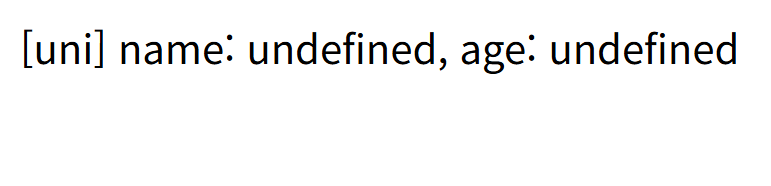
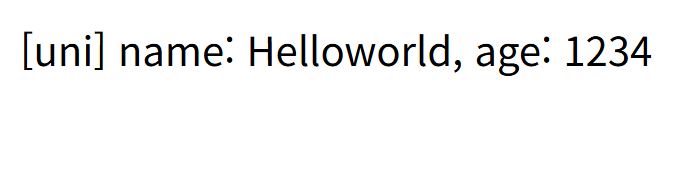
하지만 저 코드들은 유지보수도 어렵고 복잡하다!!!!!
Express.js를 이용해 깔끔한 코드를 짜보자!!
Express.js로 웹서버 구축 및 라우팅 해보기
const express = require("express");
app = express();
const port = 3000;

app.listen(port, ()=>{
  console.log("Server Listening on port: ",port);
});

app.get("/", (req,res) =>{
  res.send("home");
});

app.get("/uni", (req, res) => {
    const user = req.query;
    res.end(`[uni] name: ${user.name}, age: ${user.age}`);
});

app.get("/fox", (req, res) => {
  res.send(`
    <ul>
      <li>pic1</li>
      <li>pic2</li>
      <li>pic3</li>
    </ul>
  `);
});

app.use((req, res) => {
  res.status(404).send("404 Not Found");
});
우와우~
코드가 정말 깔끔해졌다!
사실 라우팅 하는 부분도 route.js로 빼면 훨씬 유지보수에도 용이하고 좋지만,
이번에는 패스하도록 하자..
본격적으로 API 서버 예제를 만들어보겠다.
const express = require("express");
app = express();
const port = 3000;

let posts = [];

app.use(express.json());
app.use(express.urlencoded({extended: true}));

app.get("/", (req,res) =>{
  res.json(posts);
});

app.post("/posts", (req, res) => {
  const {title, name, content} = req.body;
  posts.push({id: posts.length+1, title, name, content, date: Date()});
  res.json({title, name, content});
});

app.delete("/posts/:id", (req, res) => {
  const id = req.params.id;
  const filteredPost = posts.filter((post) => post.id !== +id);
  const is_changed = posts.length !== filteredPost.length;
  posts = filteredPost;
  if (is_changed){
    res.json("ok");
    return;
  }
  res.json("not changed");
});

app.listen(port, ()=>{
  console.log("Server Listening on port: ",port);
});
글을 추가하고, 삭제하는 기능을 가진 간단한 게시판 서버 예제이다.
(프론트엔드나 curl 등이 있어야 테스트 할 수 있다.)
라우팅 부분을 route.js로 분리하고, DB와 연결하면
진짜 서버처럼 굴릴 수 있을 것 같다.
'Unifox' 카테고리의 다른 글
| [Unifox] - Flask 1차시 (0) | 2025.09.22 |
|---|---|
| [Unifox] - Python (1) | 2025.08.27 |
| [Unifox] - 방학 프로젝트 - 미로찾기 시뮬레이터 (6) | 2025.08.13 |
| [Unifox] - Node.js 1,2차시 (3) | 2025.08.10 |
| [Unifox] - JavaScript 4차시 (2) | 2025.07.29 |